Posts

Showing posts with the label windows 7

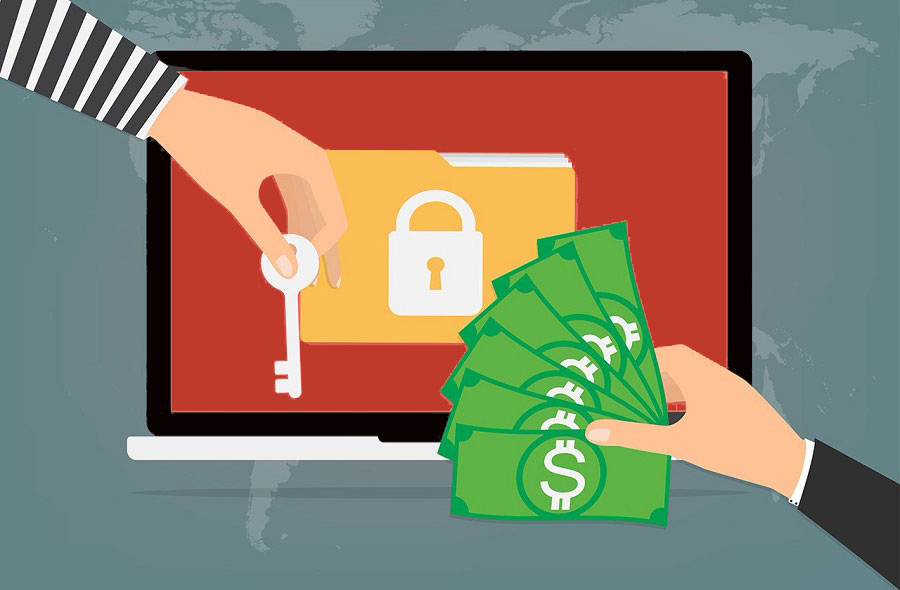
How to Recover files from WannaCry ransomware? (And everything you wants to know)
Image
What is ransomware? How to protect your system from Wannacry ransomware, and how to recover your encrypted files if you are recent victims. Get to know all of these Step by step. Welcome back to intelligent computing, few days back world face largest attack from a ransomware named WannaCry which infected more than half a million computers across more than 150 countries. Targeted system being healthcare, logistic services specially. Lets take brief overview of this whole game of WannaCry ransomware and get to the solution fast. First thing first What is a ransomware virus? Just like malware, adware, its another type of malicious file/programme written which basically encrypt or make your data inaccessible by various mean and ask for some sort of ransom to unlock or provide access back to you. These kind of hacker ask ransom in form of Bitcoin which is known as crypto currency for making secret transaction without any traces. How WannaCry Ransomware started? NSA discovered some sort of b...

How to See BIOS Info right on Windows: Registry Tips

Image
BIOS contains many hardware related information that we need frequently, if you wanted to see it anytime, you needed to restart your System and open BIOS and check the details there. Here know how you can see your Computer’s BIOS information without restarting or turning off your computer. Continue reading..

What are DLL files? Why Windows uses these files?

Image
DLL stands for Dynamic Library Link, did you ever bothered what are these files are why Windows have enormous amount of these DLL files? Let us understand and get to know the basic concept of using DLL files. Continue reading..

How Blue Screen of Death(BSOD) Protect Windows?

Image
Blue Screen of Death (BSOD) is usually known as the scariest thing for windows PC, but do you know this is great feature that Microsoft has in its OS to prevent many Computer and Data related crashes. Continue reading..

Which is more secure 32 bit or 64 Bit OS? Why?

Image
Using OS mainly in two versions help to achieve more functionality and security along with flexibility, do you know which one of both 32 bit operating system and 64 bit OS, more secure? And why if anyone of them, why you should choose the one? Continue reading..

How to Fix/repair/Rebuild MBR in Windows 7/8

Image
MBR is one to boot your windows computer, it’s a small file which initiates the booting process, if you have ever caught message, MBR Missing Press Ctrl+Alt+Delete to Restart, here we’ll learn how to repair and restore MBR without Deleting your Data. Continue reading..

How to Record who logged or try to login on PC

Image
Have you ever thought of monitoring who else tried to log on to your PC or user account behind you, now you can monitor the login details on your Windows PC. Continue reading..

How to Code/Compile and Run C/C++ in Windows 7 & Windows 8

Image
C language is one of the best programming language to start your coding experience, but it’s scary to use Turbo C/C++ on Window 7 onwards, learn how to start coding compiling C/C++ program in Windows 7 or Windows 8 without Turbo C++. Continue reading..

How to Delete/Rename/Move Restricted files with one click

Image
In windows , there are plenty of files/folders which needs are in administrator mode but useless, deleting such file is not permitted yet, sees how you can do it with one click. Continue reading..

Use your Task bar work as Awesome Dock

Image
People who think little different, they switch to dock instead of Desktop icons, and here learn how you can use Windows Task bar as multi-functional Dock. Continue reading..

Install Windows from USB flashdrive without Making Bootable

Image
Now you can Re-install any Windows OS on your Computer from USB without making it Bootable, simply know here. Continue reading..

4 Layer Security Tips for Windows Administrator

Image
Windows Operating can be easily target by many of the attacks and gain passwords, some build in policies can help you stay safer. Know these keys here. Continue reading..

How to troubleshoot your Wi-Fi connection

Image
Windows based system just made me aware of new term ‘troubleshooting’, it never helped me in solving any of my prob. Know how you can actually fix your Wi-Fi connection. Continue reading..

Know your Next Generation 3D Mouse: Mycestro™

Image
Mycestro™, your new 3D mouse which fits on your Index finger and let you use your all type of desktop/mobile computer work easily.  Continue reading..

How to put shortcut of Program/Files/folder in My Computer

Image
No need to  waste many clicks and desktop space to open the files from inside of your computer’s hard drive, create shortcut of Application/files/Folder in you’re my Computer Location. Continue reading..

Secure Windows by Renaming Administrator & Guest Account

Image
Bored with old Microsoft Trend of Seeing word Guest, Administrator Word in your Windows PC? Why if you can change!! Continue reading..

Capture Live Videos and photo from Webcam using VLC

Image
Why to look for other applications for taking the video shoot from your front cam of your laptop or webcam if you can do all just using VLC media player . Continue reading..

How to Disable Windows Internet Explorer & Why?

Image
Windows Internet Explorer is lagging far behind in this era of seamless browsing; see why you should get rid of Internet Explorer and why? Continue reading..

26 Reasons to Try Tune up Utility for your Windows

Image
Tune up utility is best known budget software to take care all of your PC performance, appearance and security. You don’t have to worry about the PC problem if you have Tune Up utility there. Continue reading..

Intelligent Computing Pick of 2012

Image
Hi there, thanks all for such awesome responses on my blog on this year. At the end of the year, I managed to sum up with hot topic from my blog for you. All these are mostly loved by people worldwide. Hoping you’ll like it. Continue reading..